
How to Post a Job on WorkIndia?: A Step-by-Step Guide
| You know? WorkIndia’s employer platform claims that recruiters can post a job in approximately 2 minutes using its job-posting workflow. |
WorkIndia is a technology-based recruitment marketplace that primarily caters to blue- and gray-collar hiring. It offers a wide range of job categories, including sales, marketing, office, and admin jobs, and more. The platform spans across 750+ cities in India and has a database of over 2 crore qualified individuals. It enables quick, efficient hiring by providing a vast pool of potential talent. In this blog, we will learn how to post a job on WorkIndia and share some effective tips to make the most of your job posts.
| Summary: WorkIndia is a recruitment platform focused on blue- and gray-collar hiring across 750+ Indian cities. To post a job, sign in, click “Post New Job”, enter details such as job title, salary, location, openings, and candidate requirements, then review and submit. To improve results, provide accurate information, offer competitive salaries, write a detailed job description, and consider paid job promotions. WorkIndia uses paid subscription plans and helps employers connect with a large database of over 2 crore candidates. |
How to Post a Job on WorkIndia?
WorkIndia’s job posting process is an efficient way to hire candidates easily. The platform is user-friendly, allowing individuals to search for jobs based on their skills, location, and preferred industry. WorkIndia also automates the recruitment process, making it easier for employers to find suitable candidates. Here are the steps to help you post a job on WorkIndia:
Step 1: Sign In to Your Account
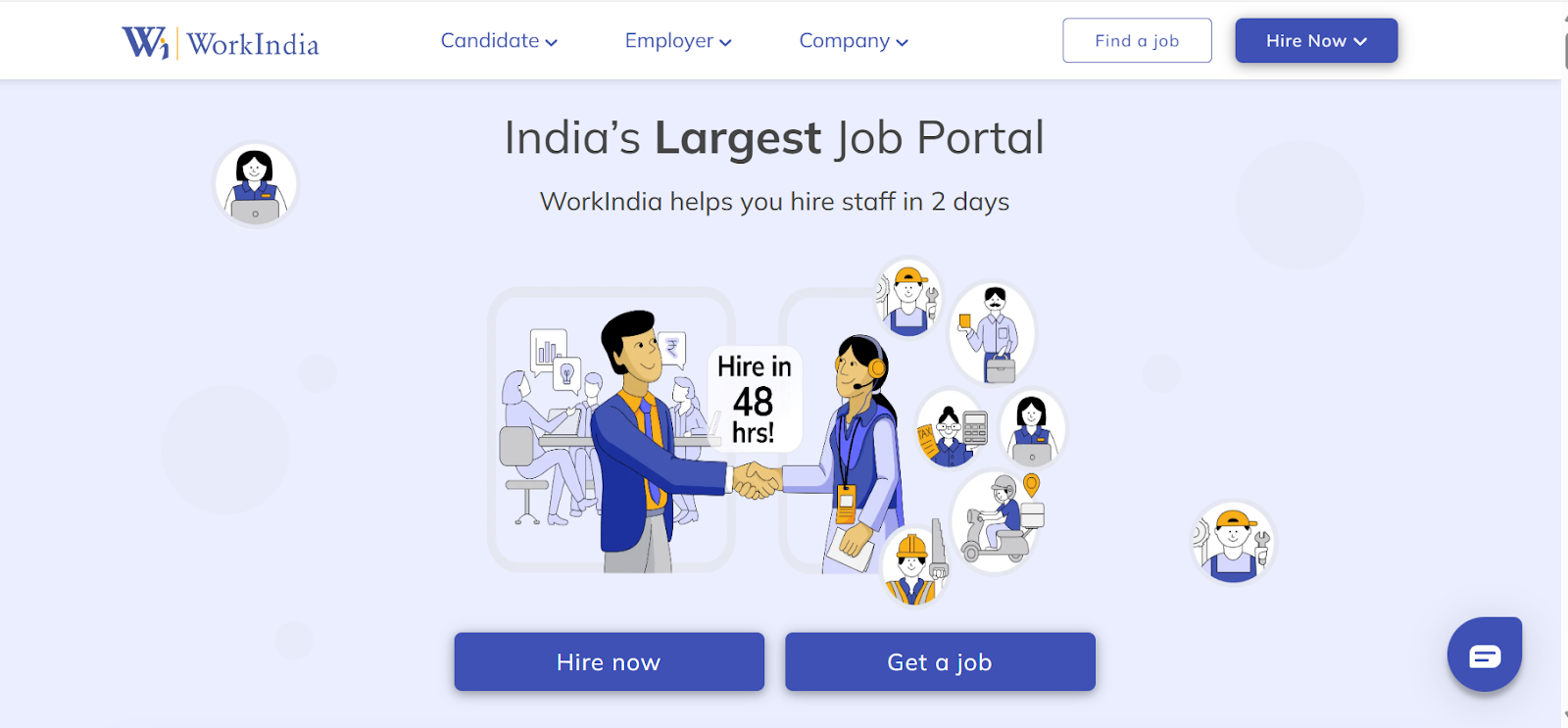
Go to the WorkIndia website. Sign in using the mobile number you registered with. The contact number serves as your account ID. Once signed in, you will land on your home page dashboard.
Step 2: Start a New Job Post
Look for the ‘Post New Job’ button on your home page and click it. It opens the job posting form, where you will enter all the details about the job opening.
Step 3: Fill in the Job Details
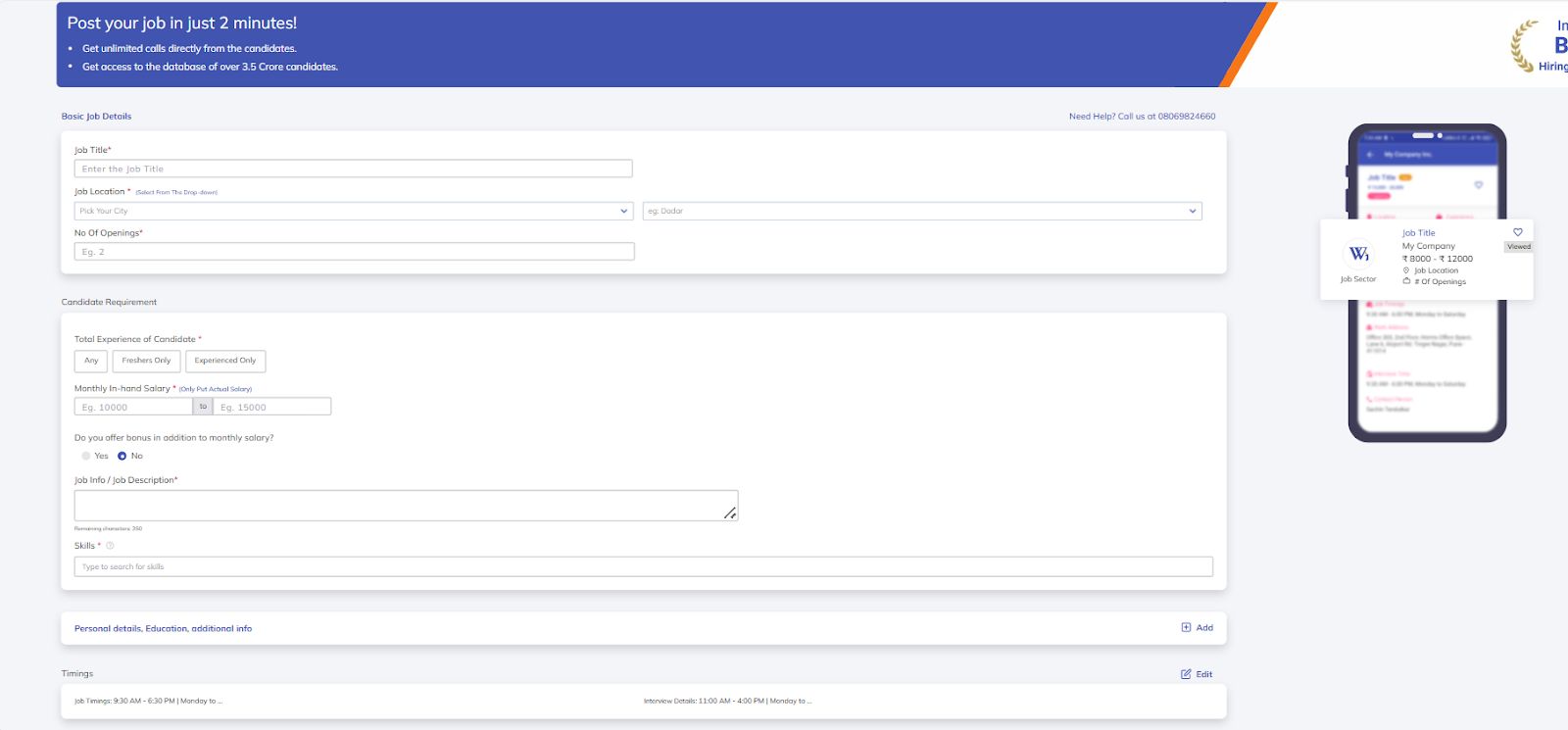
The form asks for several pieces of information about the role. Each field matters for attracting the most qualified professionals.
- Job Title: Enter the job title that best describes the responsibilities. Once you post the job, you cannot change the title later. Each job post can only have one title. For changing the job title, you will need to post a new opening.
- Monthly in-Hand Salary: The salary range you are offering a candidate. It is important to keep this range accurate, as it directly affects the number of candidates who show up for the walk-in. The ‘Min to Max Salary Range’ should clearly reflect the fixed salary a candidate will receive upon joining, excluding incentives or performance-based pay. If this information is incorrect or misleading, candidates may lose trust and not attend interviews or join the company.
- Number of Openings: State the number of people you need to hire for the job role.
- Job Location: Select the city or location from the dropdown options. Like the job title, you cannot change the number of openings for a particular role after posting the job. Double-check that you have selected the right options.
- Candidate Requirements: The form includes fields for minimum qualifications, required experience, gender preference, English proficiency, and must-have skills. Select from the existing options provided. Ensure your requirements match the salary you are offering. Asking for highly skilled candidates while offering low pay will not yield strong responses.
- Company Details: Fill in the basic information about your company.
Step 4: Review and Submit
Before submitting to post a job on WorkIndia, review all the information you have entered. Check that the job title and location are correct since you cannot change them later. Confirm that the salary range is accurate and matches what you will actually pay.
Once you are satisfied with all the details entered, click the ‘I Accept the Terms and Conditions Privacy Policy’ box to agree to the terms. Then click the ‘Submit’ button. Your job will be posted on the WorkIndia portal.
How to Make the Most Out of Your Job Posts on WorkIndia?
WorkIndia’s simple job posting process can help you significantly expand your reach and streamline your hiring process. Now that you know how to post a job on WorkIndia, let’s discover some effective tips to make the most out of your job post:
i. Review the Job Post Carefully
Before posting, carefully review the job post for any errors. This includes checking for spelling and grammar mistakes, ensuring all necessary information is included, and verifying that the job requirements and responsibilities are clearly defined. Additionally, note that the “job title” and “job location” cannot be changed once the job is posted. If you need to change these details, you will have to delete the job post and create a new one.
ii. Provide Genuine Information
Provide accurate information about the job role and your company in the job listing. It includes details such as salary, location, job type (full-time, part-time, contract, etc.), contact information, and company information. Genuine information helps applicants quickly determine if the job meets their expectations, which can reduce unnecessary applications.
iii. Offer Competitive Salary
When creating a job post on WorkIndia, it’s important to offer a competitive salary to attract the best candidates. Providing a salary that matches or exceeds the industry standard for the position is key.
To determine the appropriate salary, it’s advisable to research the salaries for similar job positions in your city or industry. This will give you a clear idea of what to offer and ensure that your job post stands out to potential candidates.
iv. Invest in Job Advertisements
When considering how to post a job on WorkIndia, consider boosting your recruitment efforts by investing in job advertisements. WorkIndia provides a platform to access a vast database of potential candidates. By investing in job advertisements on the platform, you will receive unlimited calls directly from interested candidates.
It will enable you to select and hire the best fit for your organization. Moreover, the platform offers corporate and enterprise plans that provide flexibility and support for continuous hiring.
v. Create a Detailed Job Description
Crafting a detailed job description is crucial, as it plays a significant role in attracting candidates who are the right fit for the position. Like leading job portals such as Internshala, WorkIndia empowers you to create comprehensive job descriptions.
A well-crafted job description should encompass the job responsibilities, required skills and qualifications, and any benefits or perks offered by the company. It not only adds value to the position but also frames it in a way that attracts potential candidates seamlessly.


Conclusion
In this blog, we explored how to post a job on WorkIndia. The platform is dedicated to providing meaningful job opportunities to India’s 250 million blue-collar workers. For employers, it allows the creation of job postings efficiently through its straightforward process. Additionally, it streamlines the hiring process through smart recommendations and a cost-effective approach. Also, check out the top recruitment strategies to hire the best employees for your organization.
FAQs
Answer: No, posting a job on WorkIndia is not free. WorkIndia offers three plans for its job posting and hiring services. You can visit their website and choose a plan that meets your hiring needs.
Answer: If your job post meets all the criteria, it will be posted on the portal within 2-24 hours of submission. You will also receive a notification once your job is live on the WorkIndia App and Website.
Answer: Yes, you can delete the job post on WorkIndia once it has been posted. You just need to click the deactivate button on the job post you want to delete, then confirm the deletion.
Answer: Yes, WorkIndia is an effective tool for businesses looking to hire blue-collar and gray-collar staff quickly. Since the platform connects you with over 2 crore candidates across 750 cities, you can find workers for various roles in a short time. The platform also uses technology to match your specific requirements with the right candidates, helping reduce the time you spend screening unqualified candidates.
Answer: No, you cannot post jobs for free on WorkIndia. You must choose from one of their paid subscription plans to list an opening and start receiving calls from candidates. These plans vary based on how many jobs you need to post and how long you want your listing to remain active on the portal.
Source
- https://blogs.workindia.in/workindia-employer/


